Features

Discover AI Features
Designed to Improve
Your Communication

Grammarly is the only AI writing partner specifically designed to address your biggest communication challenges. Explore the features that improve the substance and style of your writing.
Generic placeholder image

Move Work Forward With Effective Writing

Build trust and get things done with polished emails, clear documents, and personalized suggestions to ensure your writing and reputation shine.

Rewrite in a click

Instantly accept full-paragraph rewrites so you can go from first draft to final document—fast.
Example of text in Gmail with Grammarly giving a rewrite option

Feel confident your writing is mistake-free

Catch typos, missing punctuation, grammatical errors, and commonly confused words before you hit send.
Grammarly suggesting a grammar edit on some text

Be understood the first time

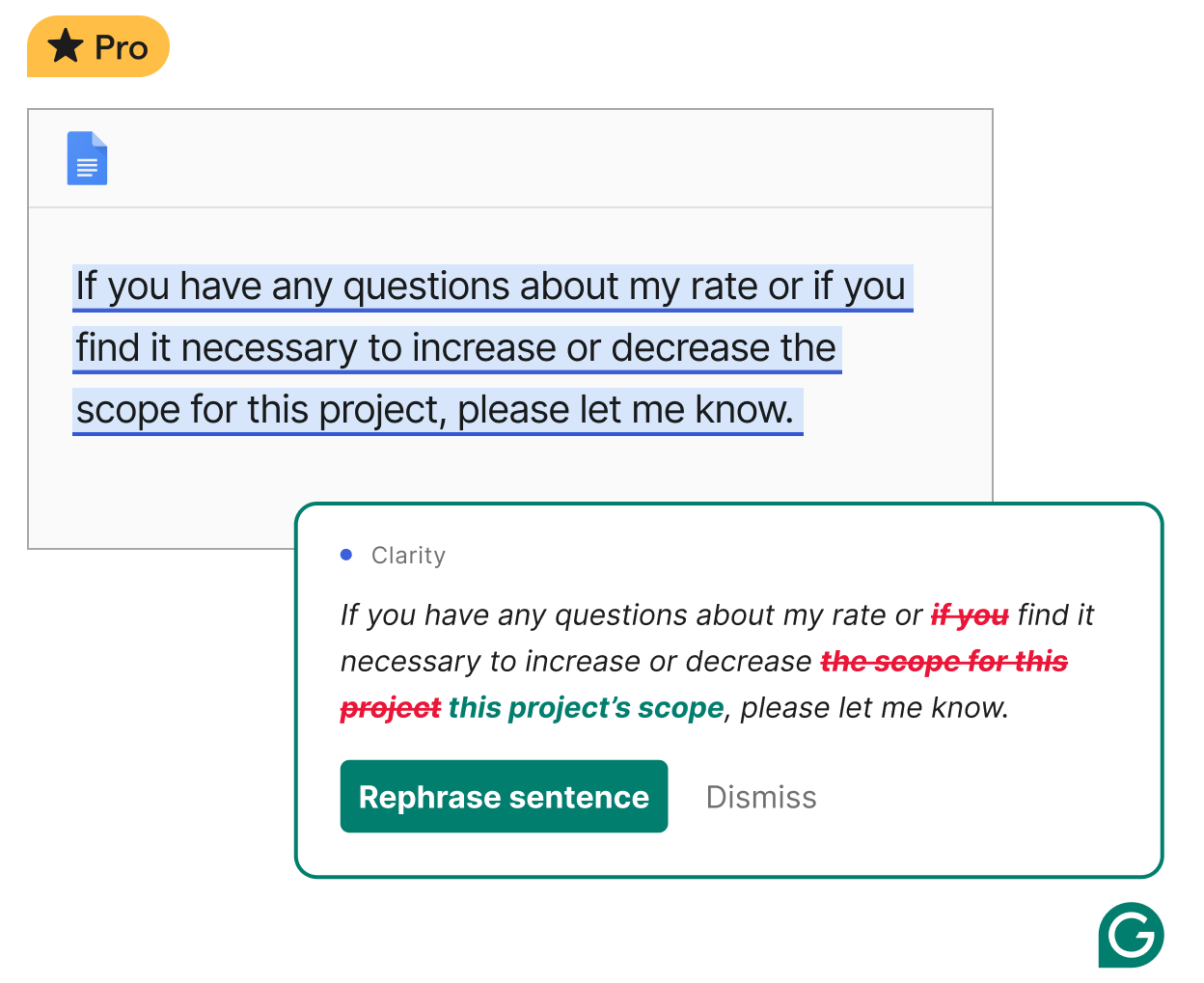
Make your writing clear and concise with revisions that help you avoid unnecessary back-and-forth.
Grammarly suggests you rephrase your sentence for clarity.

Strike the right tone for every context

From formal to friendly, Grammarly's tone adjustments make every message land as you intend.
Grammarly Premium helps you with tone suggestions

AI agents to help improve your writing

Whether you need expert feedback, grade predictions, or help anticipating reader reactions, our AI agents offer suggestions at every stage of your writing, so you can start faster and finish stronger.
globe icon

Paraphraser

Fine-tune your voice.
Keep your ideas intact while adjusting your writing to sound more creative, professional, or simply more you.
Lightning bolt and paper icon

Expert Review

Write like an expert.
Get feedback inspired by subject-matter experts so you can craft stronger arguments the way an expert would.
Laptop graphic with green check mark

Proofreader

Fewer errors, sharper message.
Sharpen write-ups, emails, and projects with stronger structure and clearer phrasing as you write.
Target with arrow

Reader Reactions

Read the room. Then own it.
Set your target reader—from teammate to teacher—and get instant feedback so you can tailor your writing.
A user using Docs to access Grammarly agents

Docs: Your thinking space and writing space, finally in one place

Introducing docs, a new AI writing surface and document editor that offers real-time support at every stage of your writing, from first draft to final delivery.

Multilingual support wherever you write

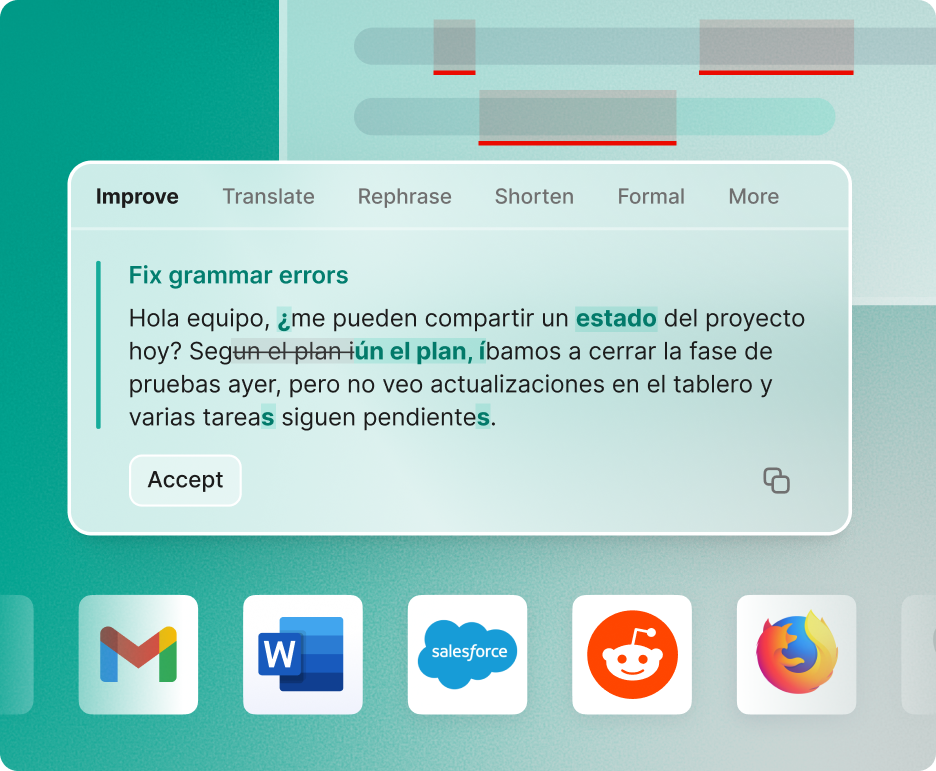
Get high-quality, real-time writing support in English, Spanish, French, German, Portuguese, and Italian. Plus, get instant in-line translation and paragraph-level rewrites in multiple languages, making Grammarly your partner for clear, compelling writing in more than just English.
Multilingual product example _ Spanish _ Fix grammar errors

Go: The AI assistant that works everywhere you do

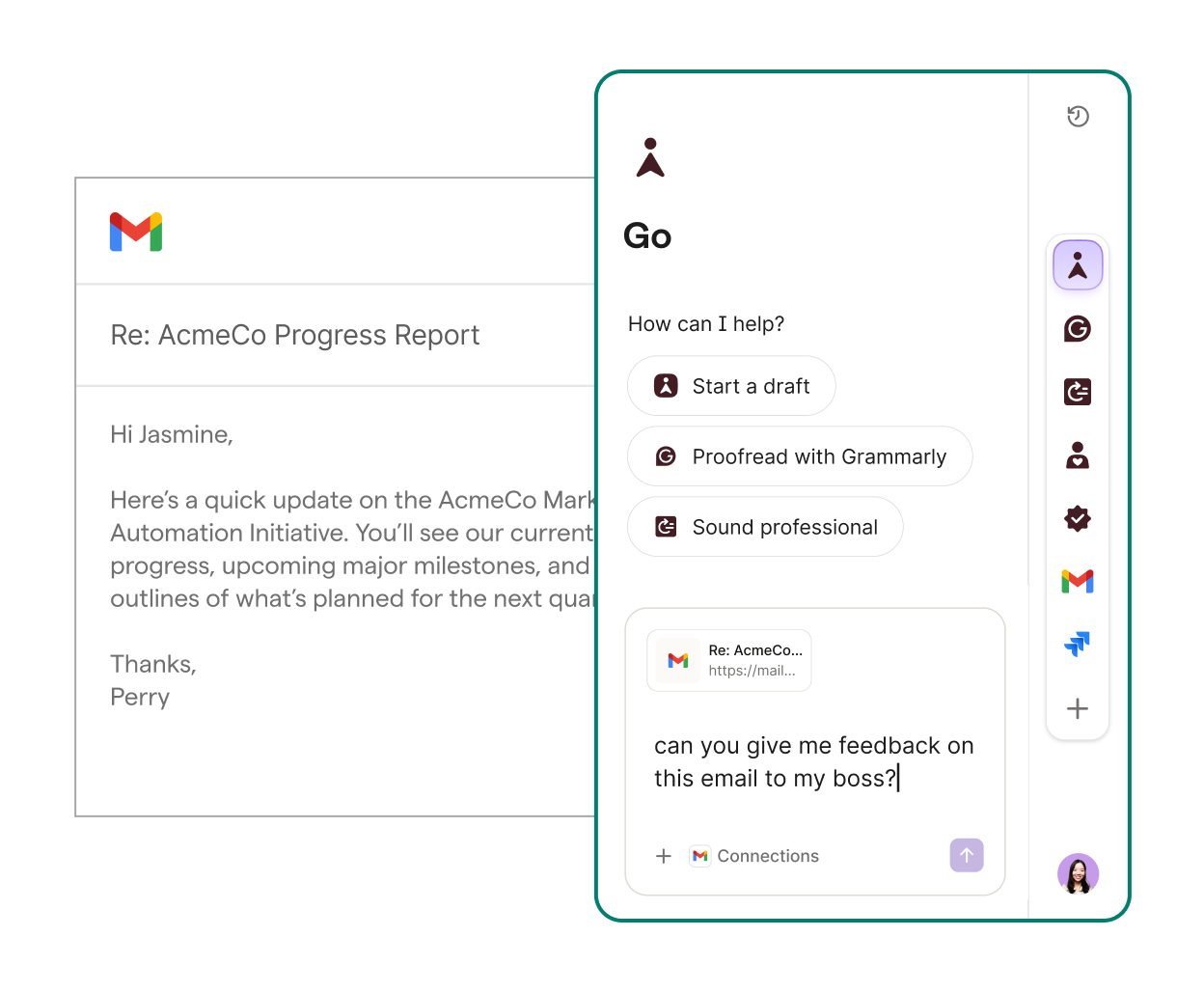
Go combines Grammarly’s trusted writing expertise with a broader team of proactive AI agents that amplify your impact, no matter where your work takes you.


Learn more
A user using Superhuman Go to get feedback on an e-mail

Improve Team Communication and Collaboration

Teams and enterprises can get on the same page with real-time guidance powered by AI and customized with your organization's critical info and brand voice.

Equip your team with custom style suggestions

Give your team real-time writing guidance specific to your brand by customizing style rules or uploading your entire style guide.
Style guide suggestion from Grammarly to ensure AcmeCo is on brand

Keep your team on-brand

Customize your brand voice and guide your team's tone in every context in real time.
Email in Gmail with text written and Grammarly providing a tone suggestion for AcmeCo

End acronym and jargon confusion

End the hunt for hidden company and industry info. When team jargon and acronyms pop up, hover over them to see definitions, related documents, and key people so you can easily stay in your flow.
An outlook email with an example of Grammarly's knowledge share feature

Expedite repetitive writing tasks

Create accurate, on-brand message templates that allow your team to respond instantly instead of repeating themselves. Again.
Example of how company's can use Grammarly's snippets feature to expedite tasks

Track team performance

Track team strengths, opportunities, and improvement with intuitive dashboards.
Visual of the analytics dashboard for Grammarly Business customers

AI that goes wherever you write

Grammarly works across 1 million+ apps and websites, so you can write documents, emails, and more without copying, pasting, or breaking focus.
Gmail
Microsoft Outlook
Google Docs
Microsoft Word
Slack
Microsoft Teams
Microsoft PowerPoint
Apple Mail
Notion
LinkedIn
Facebook
Figma

Frequently Asked Questions

Where can I use Grammarly?

Grammarly is designed to work where you do, and to keep working as you move across applications, browsers, and devices.

Grammarly’s suggestions are available in all major web browsers (Google Chrome, Mozilla Firefox, Microsoft Edge, and Safari) and in desktop apps with our Grammarly for Windows and Mac product offering. To use Grammarly on mobile devices, download our Android, iOS, or iPad app. You can also write directly within the Grammarly Editor, our writing platform made for accessing and editing long-form documents across devices.

What does Grammarly offer beyond spell-check and grammar-check?

Grammarly assists you with the entire writing process from outlining and drafting with AI prompts to rewriting your text in a single click to proofreading your work for clarity, concision, and tone. The tool goes beyond mistake-free writing by providing AI-powered suggestions that make writing more clear, more engaging, and more effective. It also evaluates your writing for nuanced editorial decisions, like tone and sentence variety. Grammarly offers plagiarism detection and citation support so papers stay original and use proper citation practices throughout. For organizations, features like style guides and snippets are designed to keep teams consistent, on-brand, and efficient. Visit our Plans page for a complete list of capabilities by subscription offering.

Is Grammarly secure?

Ensuring the safety and security of our users' information is very important to us. Grammarly is built with information security as a top priority. We maintain industry-standard data protection, secure infrastructure, and third-party verification, and practice privacy by design.

Can Grammarly see or use my writing?

No one at Grammarly can read your text at will, as we tightly control access to user data within the company. You own what you write.

What data does Grammarly collect?

To serve our customers, Grammarly collects necessary information, such as username, email address, and contact and language preferences. It also processes your text to deliver personalized writing feedback, but we adhere to stringent security mechanisms to protect your data and maintain your privacy. Read more in our Privacy Policy. Any user can request to view all data associated with their account. You can also find information about the small number of trusted third-party processors that help us provide our services.

What’s included in a paid plan?

Grammarly Pro customers get access to advanced AI writing features, such as tone adjustments, strategic suggestions, full-sentence rewrites, and 2,000 AI prompts per month. Grammarly Business customers can take advantage of collaborative features, such as brand tones and style guides. Enterprise customers can drive results across the organization with a fully customizable solution, unlimited AI prompts, and enterprise-grade security measures. Grammarly for Education combines the advanced features of Pro with enterprise-grade security and controls that help institutions trailblaze the responsible use of AI technology while preparing students for the future of work. Visit our Plans page to see what's included in Free, Pro, Business, Enterprise, and Education plans.

What's the difference between Grammarly's individual offerings (Free and Pro), Grammarly for Enterprise, and Grammarly for Education?

While Grammarly's Free and Pro plans can provide a student or educator with their own Grammarly account, Grammarly for Education is an institutional license that provides access to all students, faculty, and staff. Grammarly for Enterprise is a fully customizable solution for large businesses.

What are AI agents, and what do they do?

AI agents are smart digital helpers that take action for you, like providing expert feedback, predicting grades and reader reactions, or finding sources. Unlike the typical tools you’re used to, AI agents use your context to offer more useful writing support. You can try Grammarly’s agents anytime at app.grammarly.com, with more ways to access them coming soon!

What is docs?

Docs, is an AI-native document editor. Built as a first-party surface for engaging with agents, it reduces noise and keeps your focus on content. With tools for each stage of your writing journey—from brainstorming to feedback—it’s designed for how we write today.

What is Superhuman Go?

Go is a personalized AI assistant that works across your tools, tabs, and workflows—offering help that’s instantly relevant to what you’re doing. It understands your context, respects your privacy, and adapts to how you already work.

Work With the Only AI Built to Improve Writing

Join 40 million people and 50,000 organizations who use Grammarly to transform their communication.